 Mobile-ID Digital Trust
 ISO/IEC 27001:2022 · SIS351224I008
 Published certification scope
 View evidence

 Tiếng Việt
 Home
Home ORGANIZATION & SERVICE CONTROL
 Organization admins, service admins and security/admin
operators
Organization admins, service admins and security/admin
operators Integration-dependent where noted
Organization admins, service admins and security/admin operators
ORGANIZATION & SERVICE CONTROL
Admin Portal
Controls organizations, users, roles, devices, service configuration, policies, SLAs and audit without conflating administration with unnecessary clinical-content access.
Product capabilityOrganization admins, service admins and security/admin
operatorsIntegration-dependent where noted
01 · WORK CONTEXT
Built around the actor, object and decision—not generic feature cards

Organization · Workspace · User · Role · Device · Policy · SLA · Audit record

Select organization/workspace → Manage users & roles → Register/monitor devices → Configure services…

Least privilege & SoD · Configuration history · Device/integration governance
02 · WORKFLOW
End-to-end operating flow
Every step exposes state, owner, handoff and recovery expectations.
Select organization/workspace
Manage users & roles
Register/monitor devices
Configure services
Apply policy & entitlements
Monitor SLA
Audit & evidence
03 · DECISIONS
Where workflow becomes accountable
Decision 1
Does a privileged role require approval or segregation of duties?
Decision 2
Which workspace or tenant is affected by a configuration change?
Decision 3
Should a device or integration be suspended or revoked?
04 · SCREEN STORY
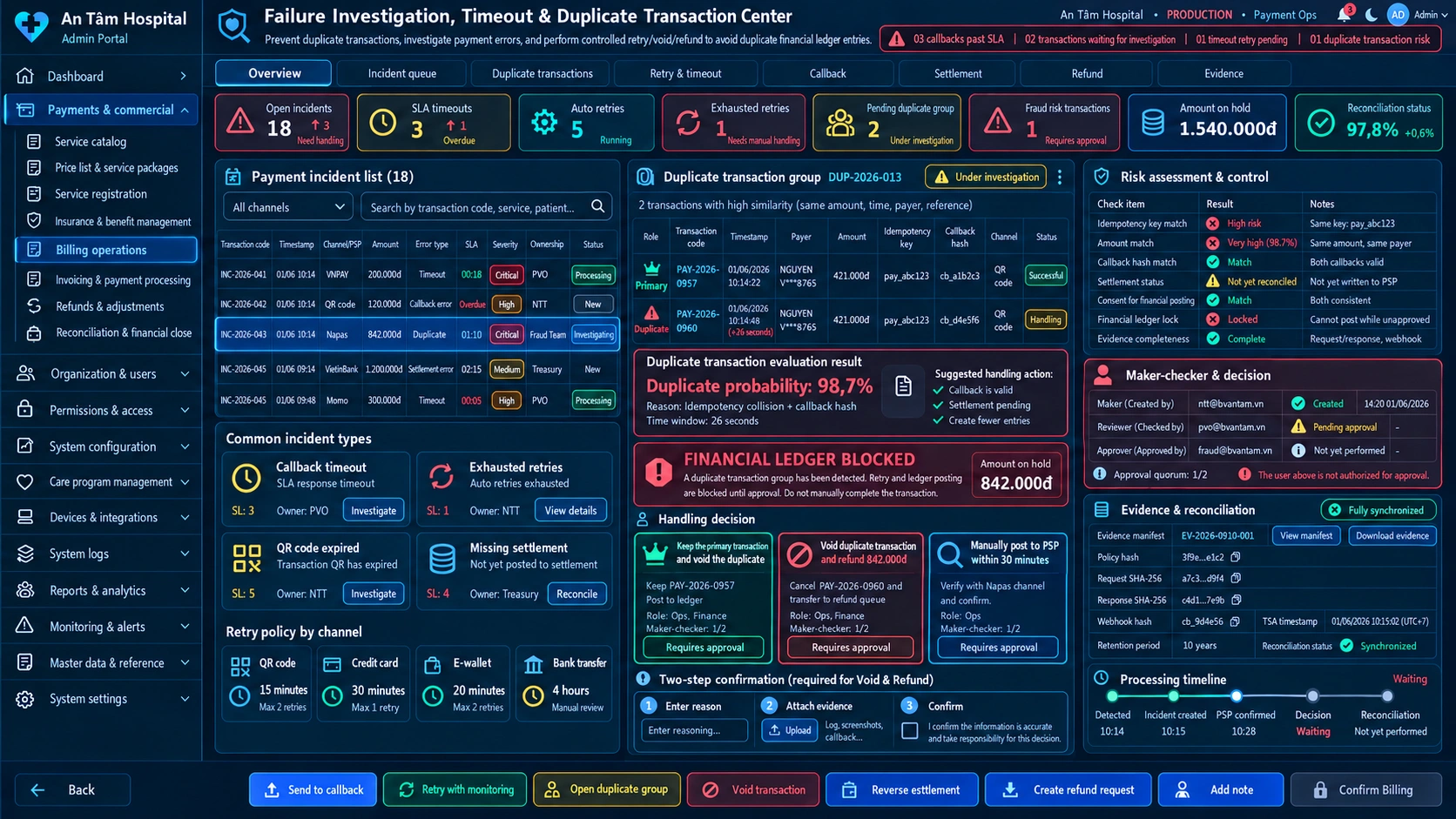
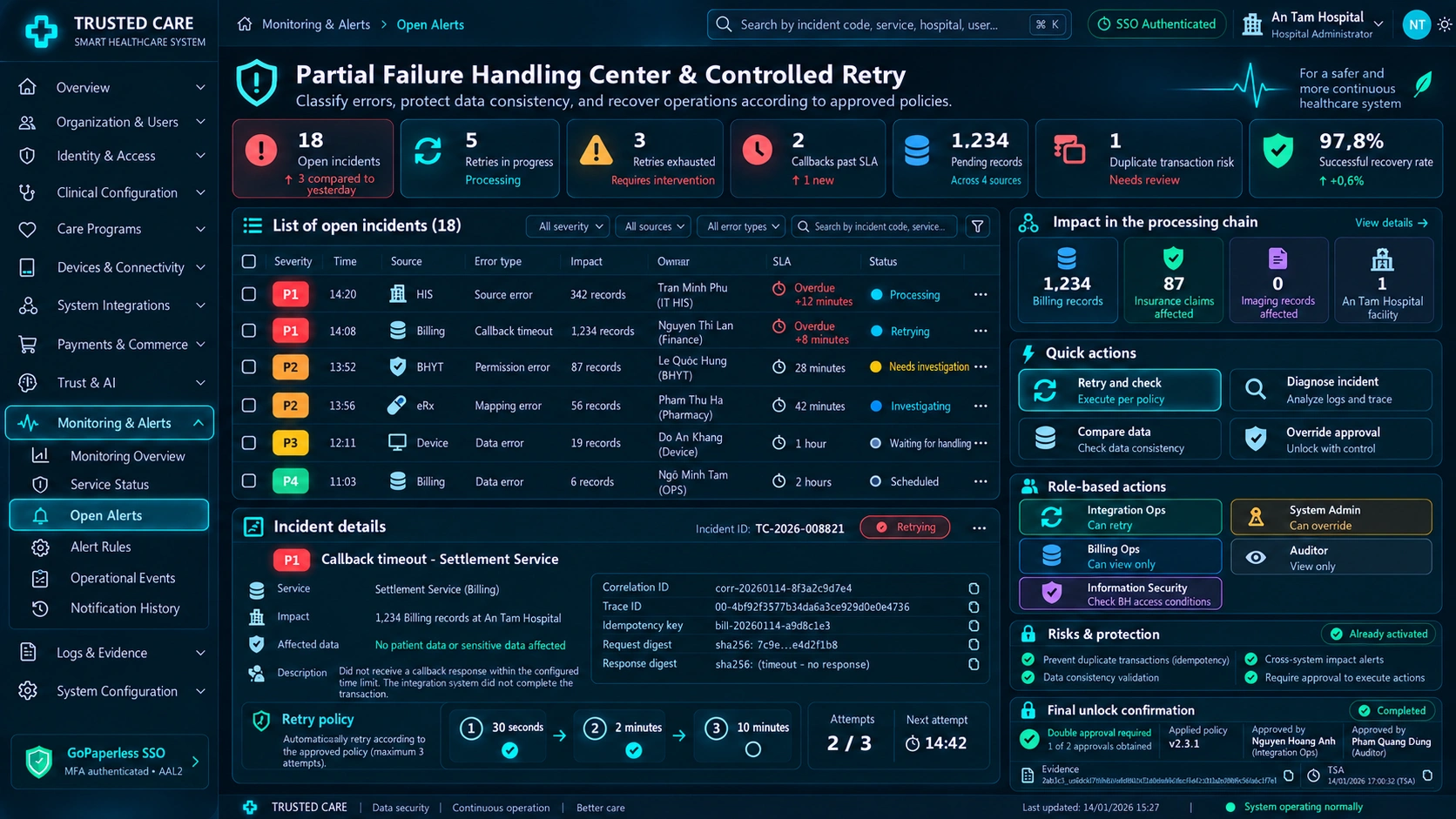
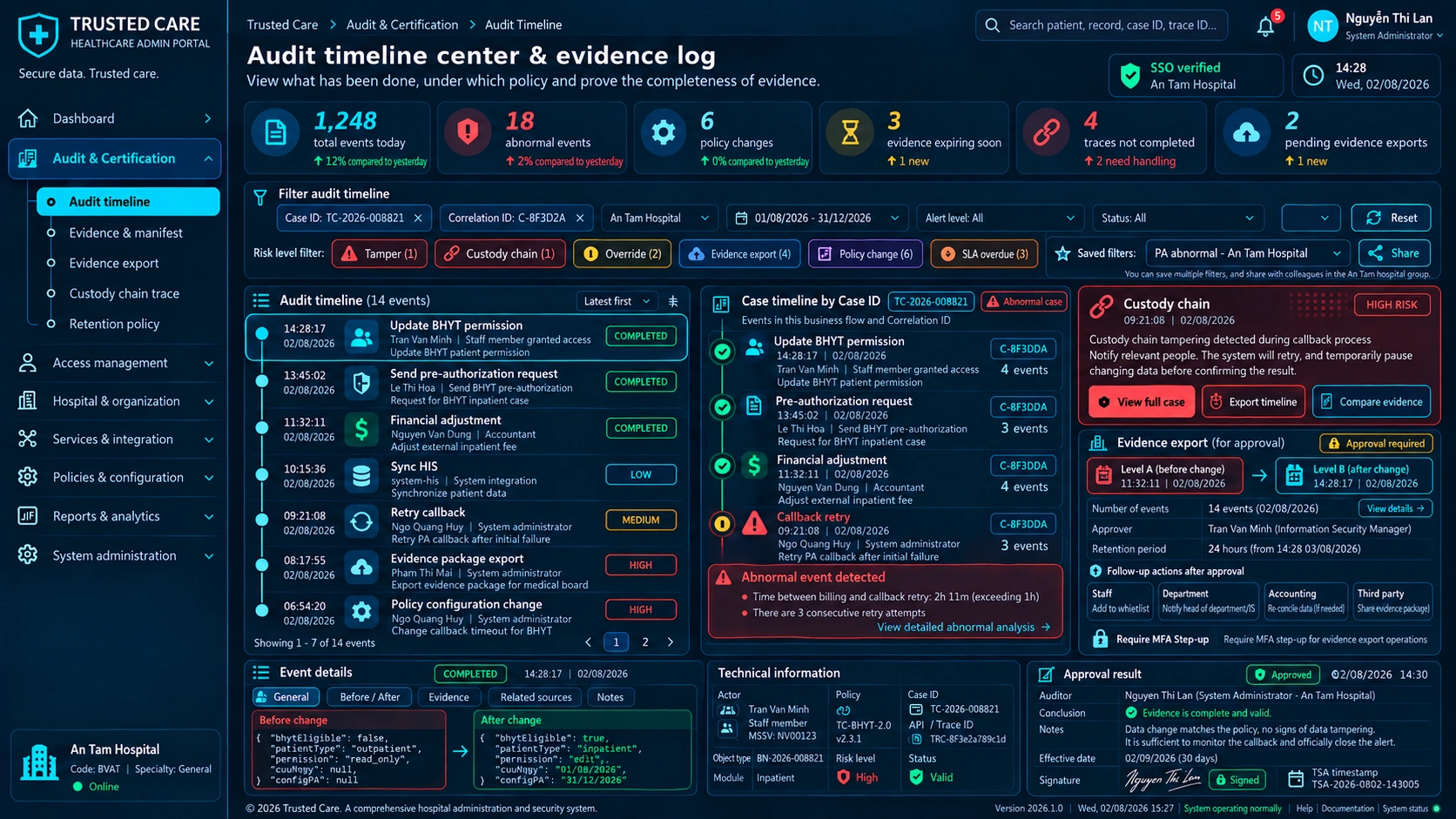
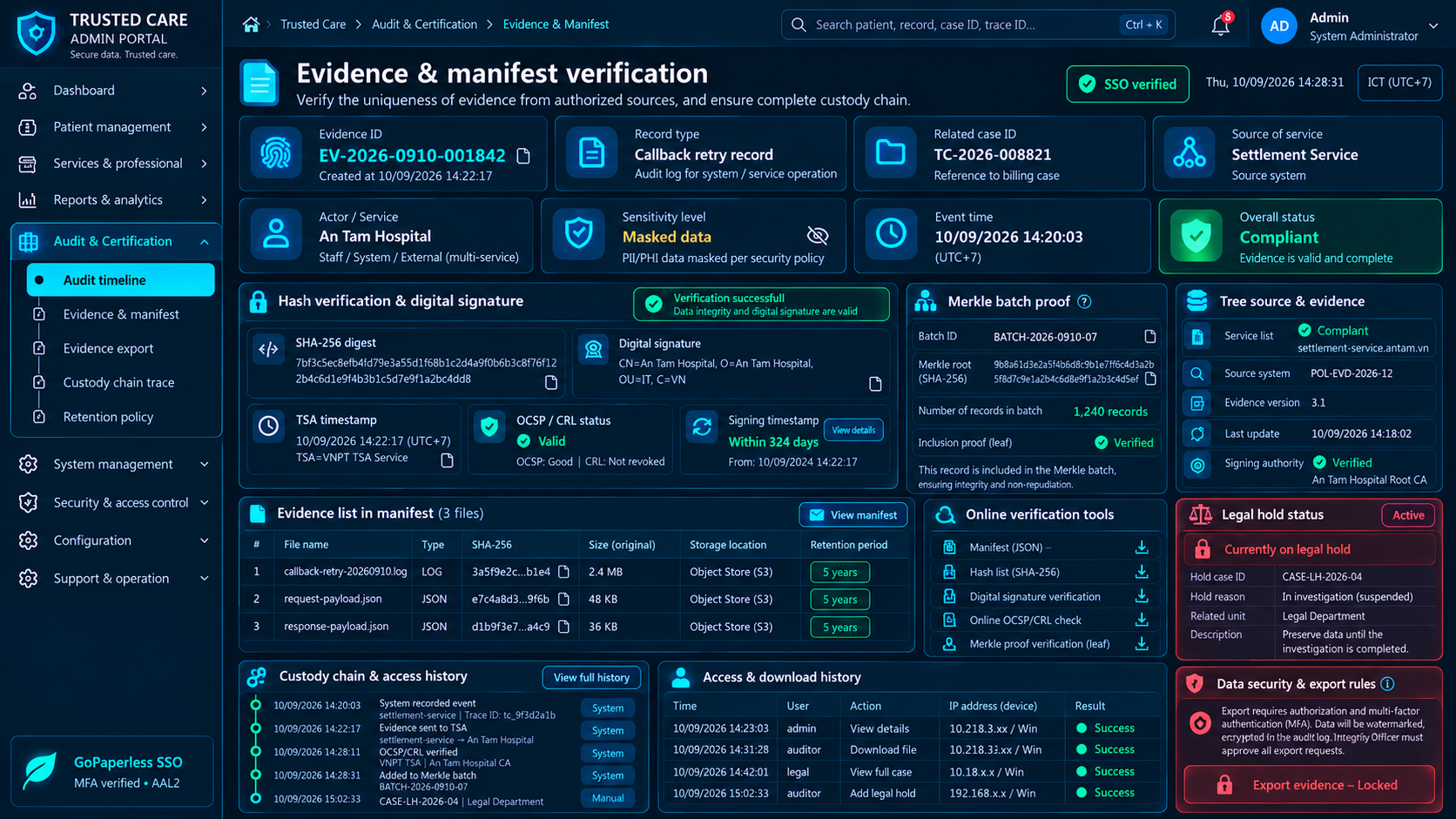
Verified source screens, ordered by business importance
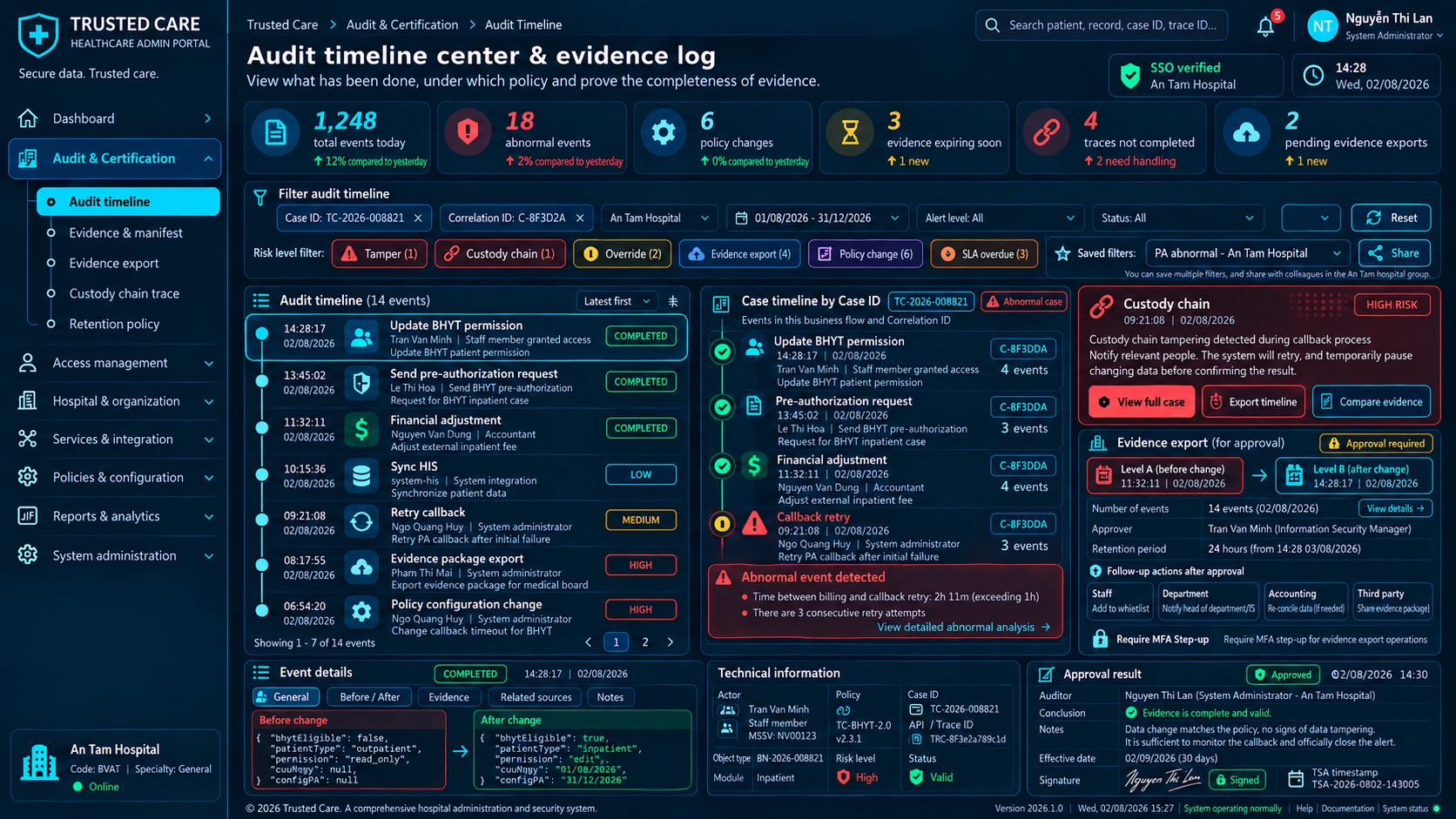
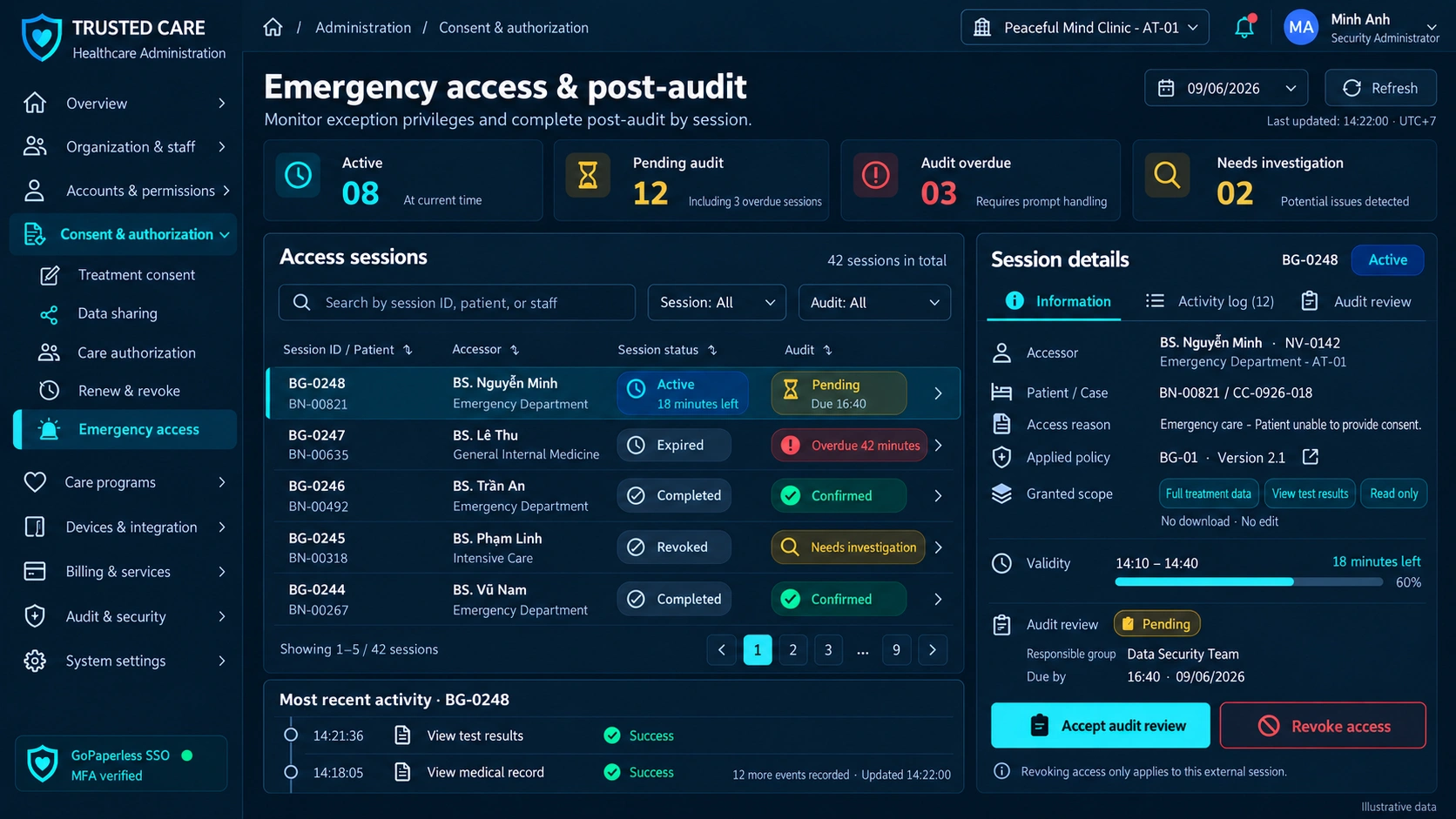
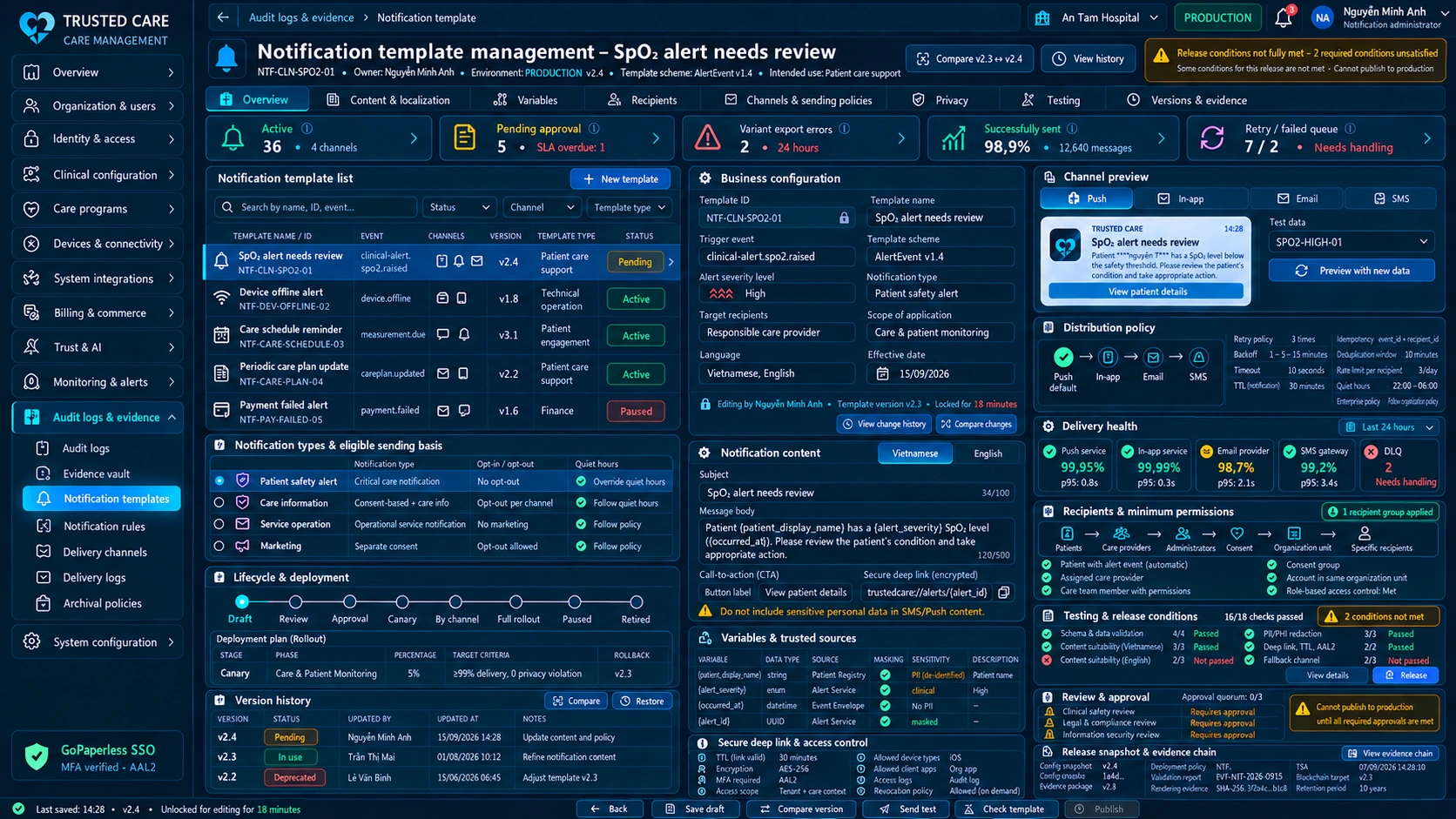
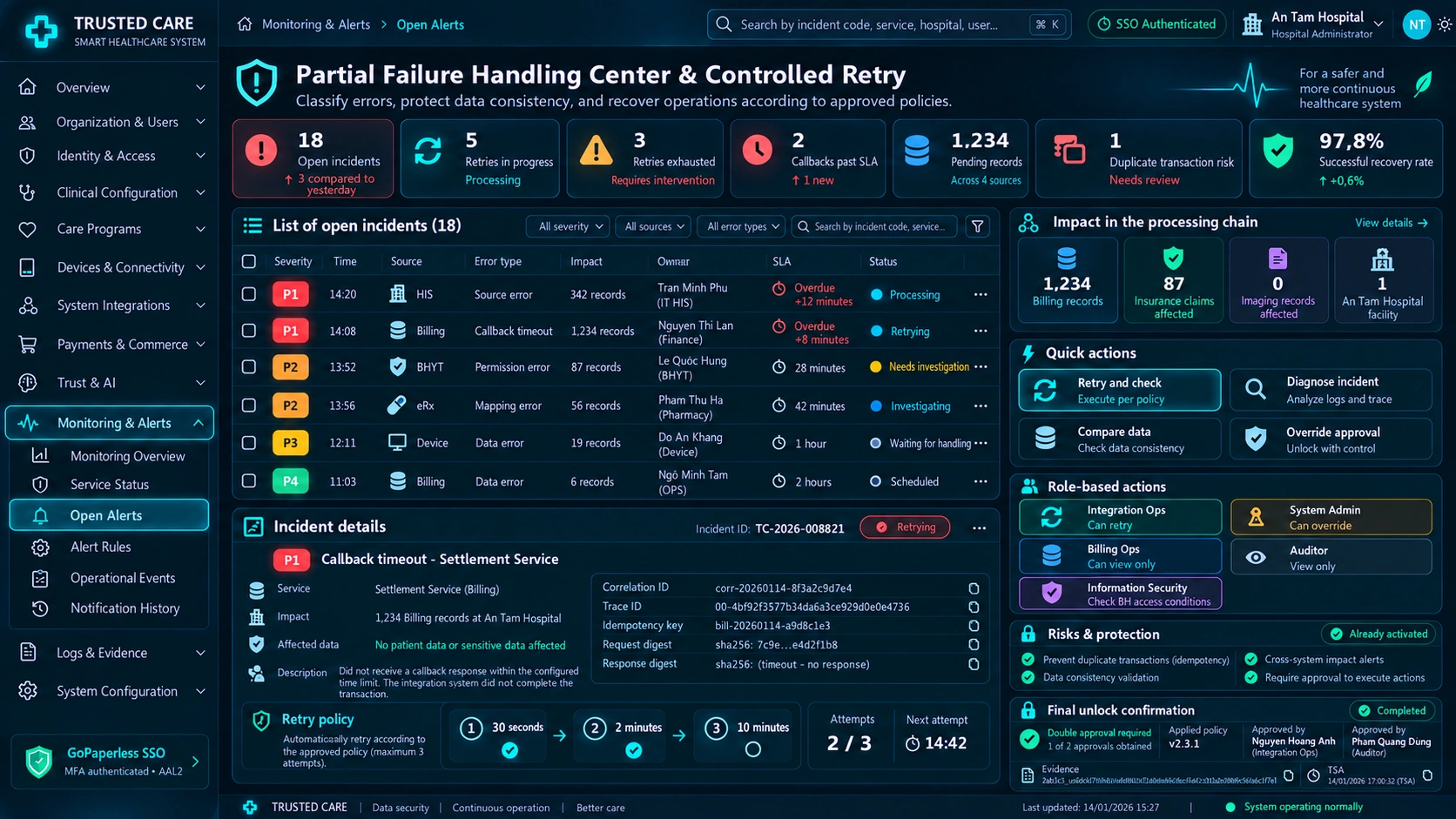
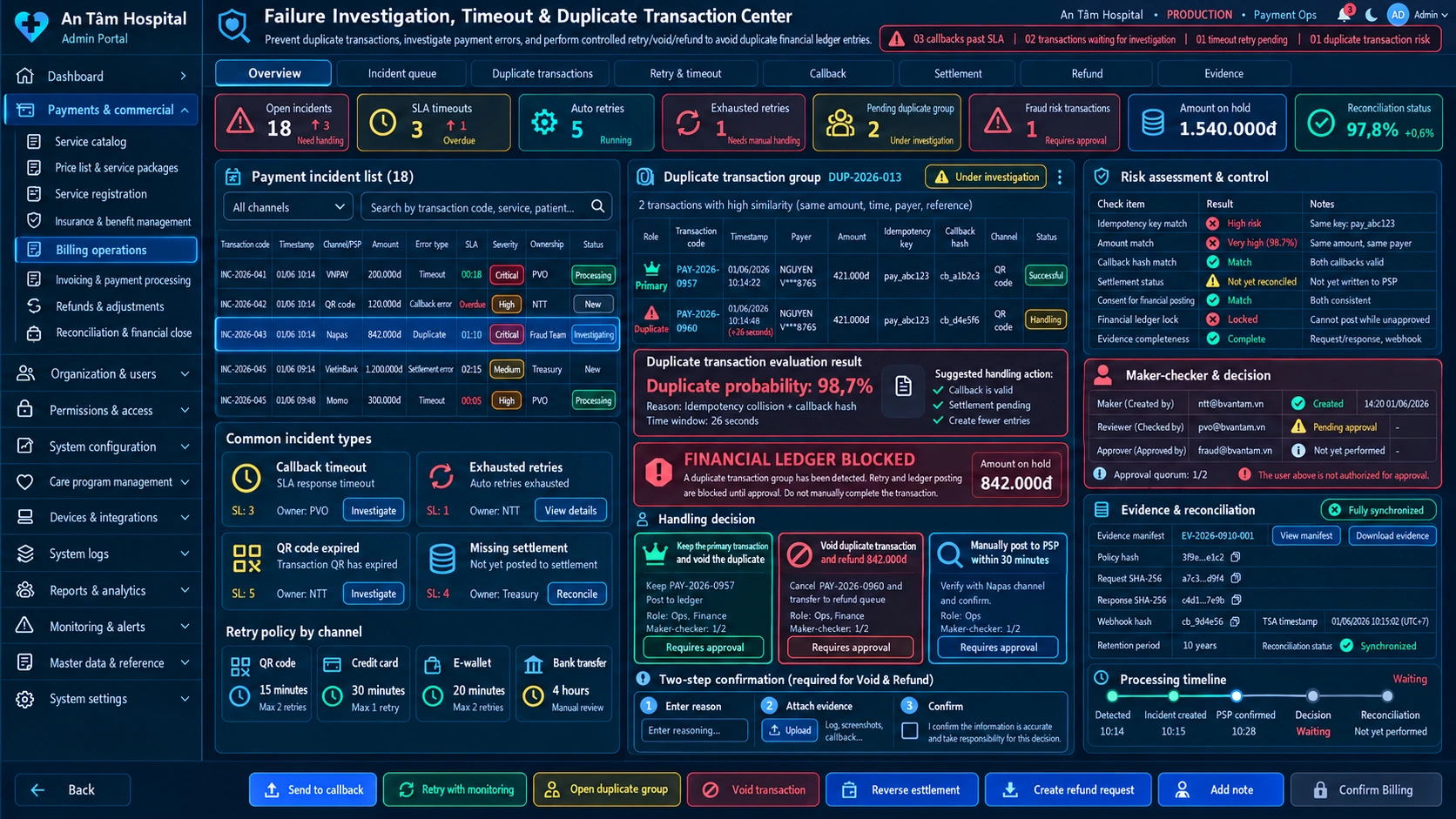
Trust, exception and evidence states
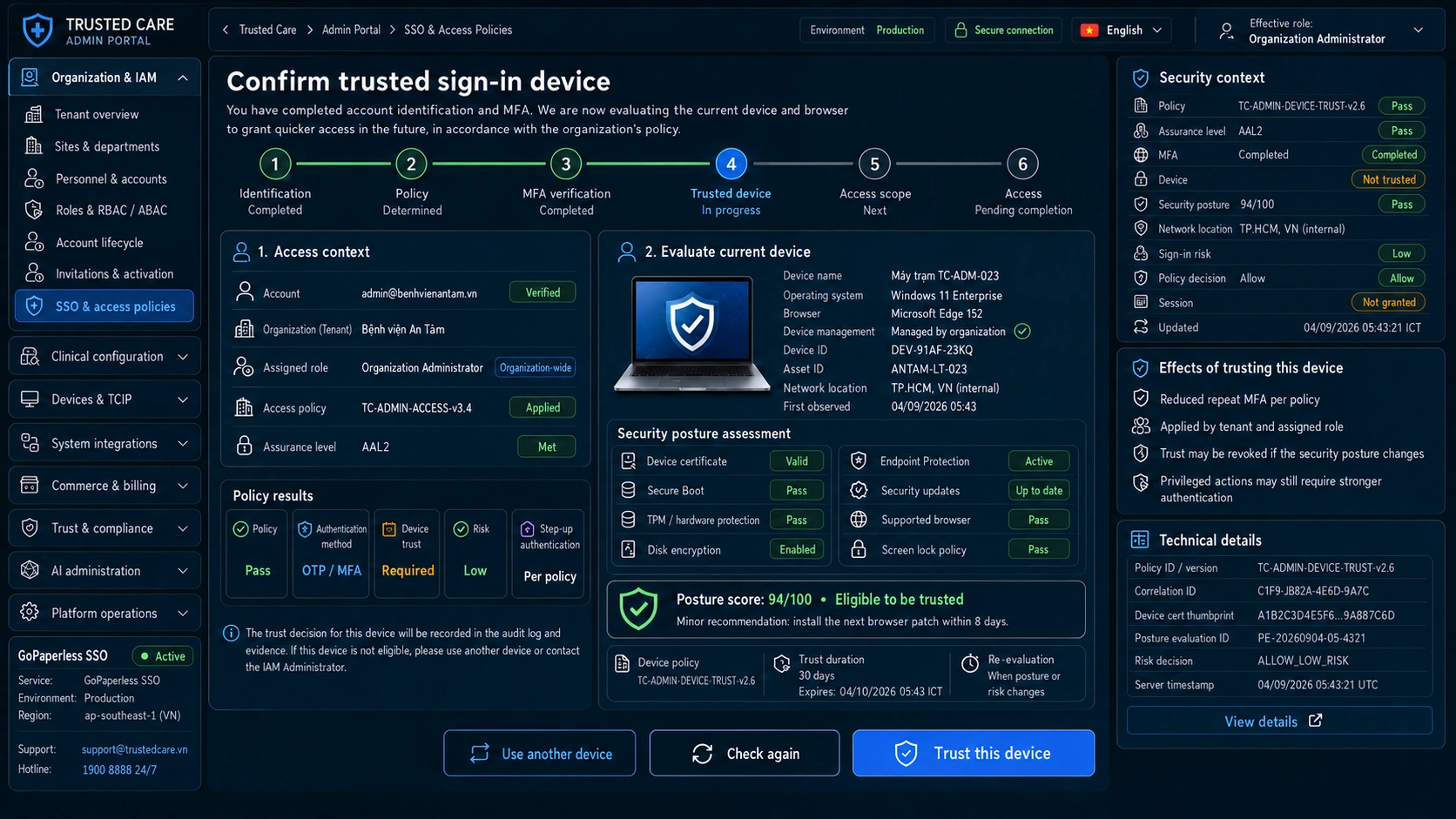
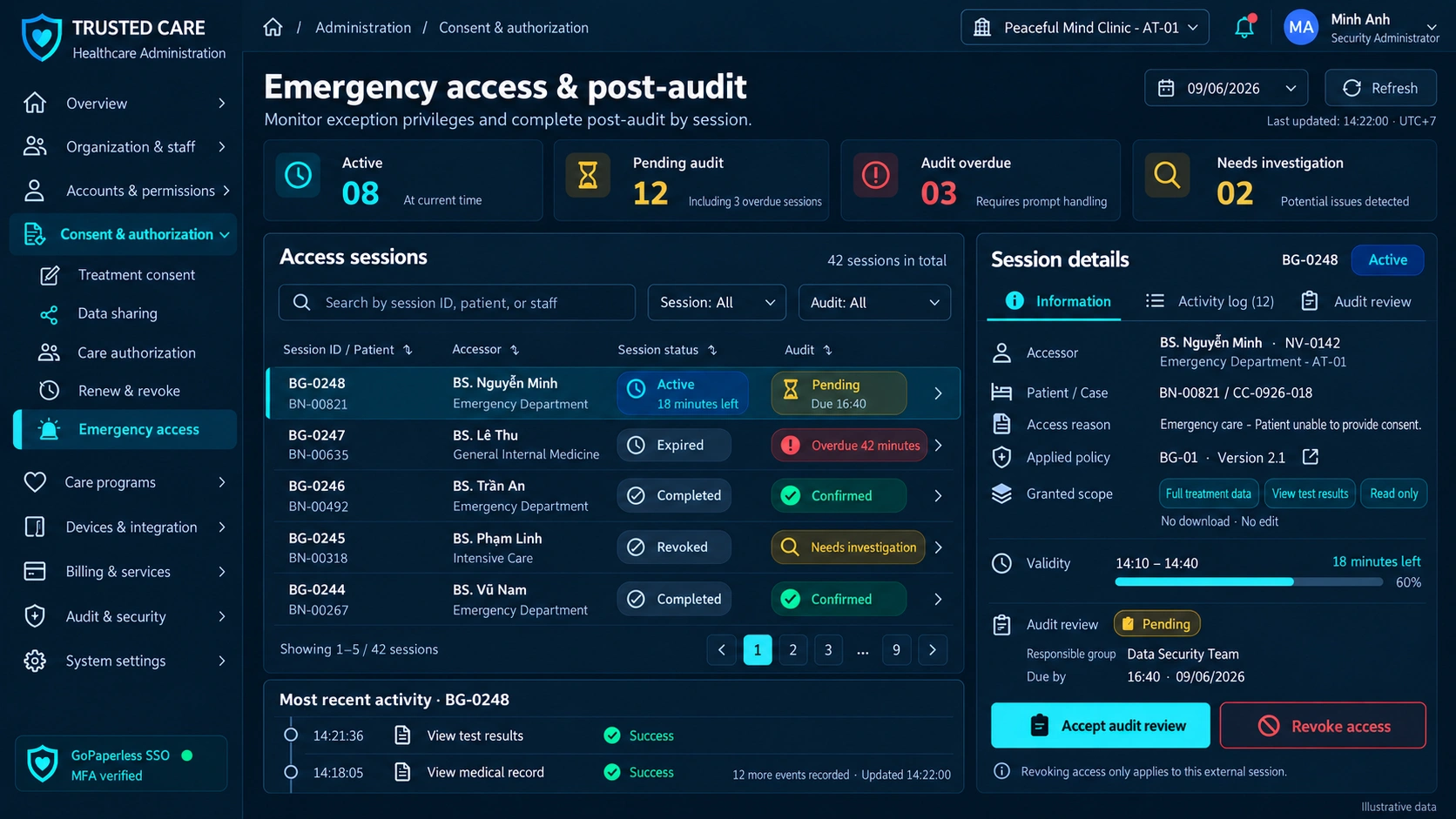
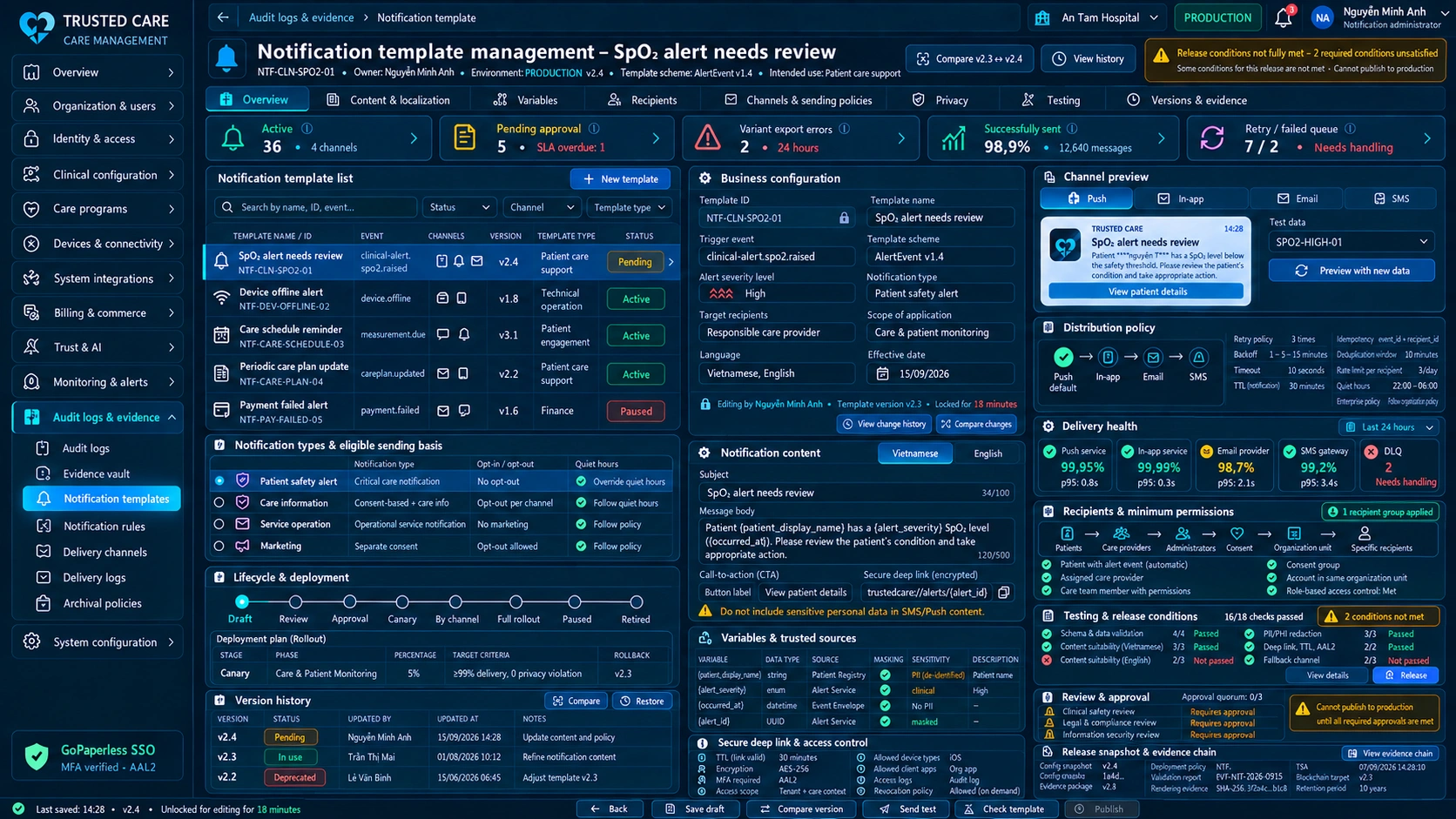
05 · EXCEPTIONS
Failure must preserve state and evidence
| # | Scenario & required behavior | Treatment |
|---|---|---|
| 01 | Privileged role assignment carries approval/evidence according to policy. | Controlled recovery |
| 02 | Configuration rollback preserves version lineage and approver. | Controlled recovery |
| 03 | Cross-tenant content access defaults to deny unless an authorized support mechanism applies. | Controlled recovery |
06 · TRUST & INTEGRATION
Controls and system boundaries
Trust controls
Least privilege & SoD
Configuration history
Device/integration governance
Admin audit evidence
Integration surfaces
Identity / SSO
Device Registry
Service / SLA telemetry
Audit & evidence service
Provisioning lead timePolicy exceptionsDevice healthSLA breach rate
 Provisioning lead time
APPLICATION ACCESS
Governed application access
Access to this portal is granted on request. Submit an access request to get an account.